AN028 - Firmware upgrade procedure with USB on MQ5CF
 |
|||
| Document: | AN028 | ||
|---|---|---|---|
| Description: | Firmware upgrade procedure with USB on MQ5CF | ||
| Editor: | Davide Mocellin | ||
| Approver | Giuliano Tognon | ||
| Link: | http://www.qem.eu/doku/doku.php/appnote/an028 | ||
| Language: | English | ||
| Document Release | Description | Note | Date |
| 01 | New manual | 09/10/2015 | |
Introduction
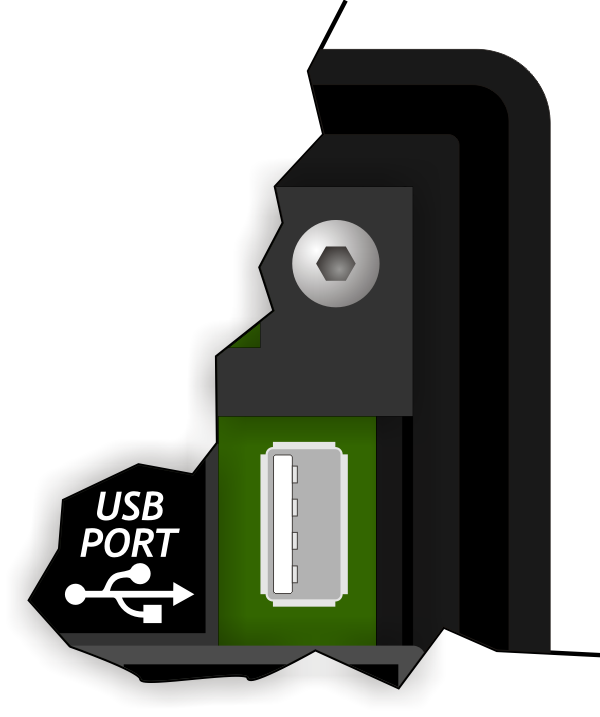
This procedure allows the firmware update, Via the USB port on the back of the MQ5CF controller.
 | ATTENTION: The firmware upgrade operation is particularly dangerous if it does not run properly, because it could make damage to the instrument. |
|---|
===== Premise =====.
Copy in the root (main folder) of the USB of upgrading, the FIRMWARE.a21 file.
Procedure
-
Turn off the instrument.
-
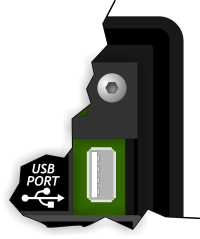
Insert the USB key on the back of the MQ5CF.
-
Turn on the MQ5CF by holding down the
FUNCbutton on the back of the instrument.
 -
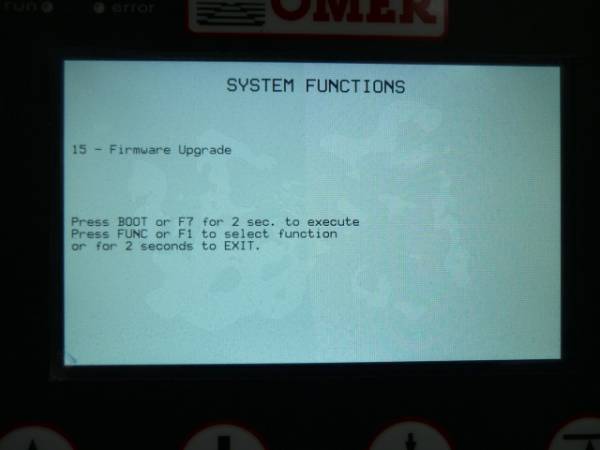
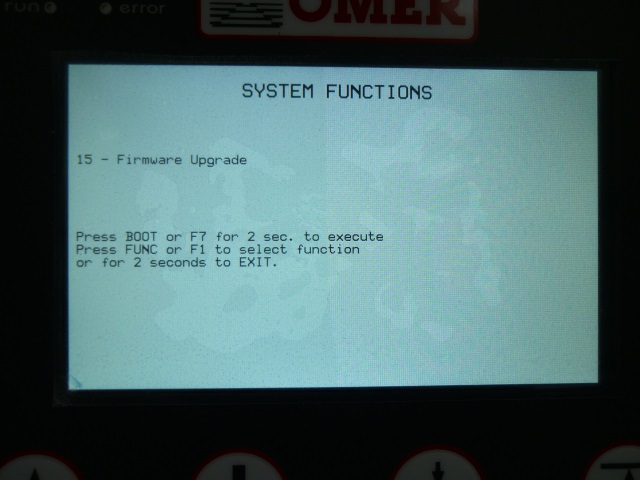
After a few moments the MQ5CF enters the system functions area. Press the
F1key to get to the function 15 - Firmware upgrade.
-
To execute the function press and hold for 2 seconds the
F7 button or the
 BOOTbutton on the back. -
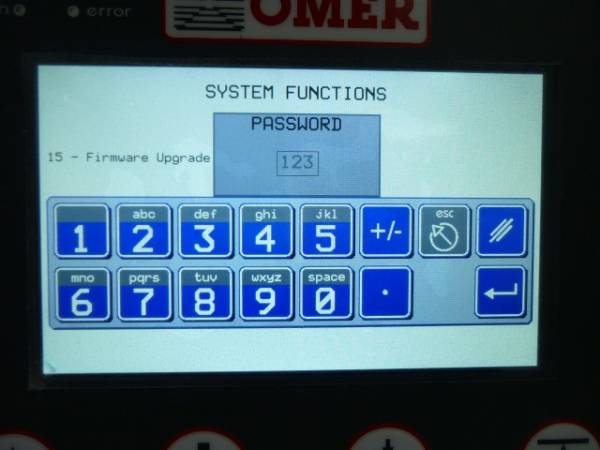
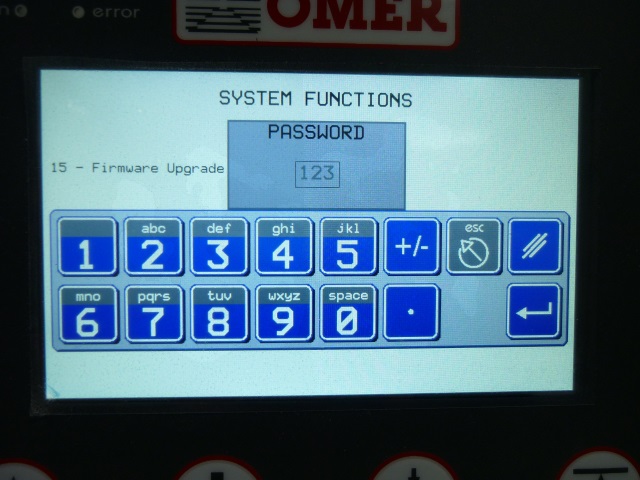
A screen is showed for entering the password. The default value is 123.
Confirm with theEnter button
-
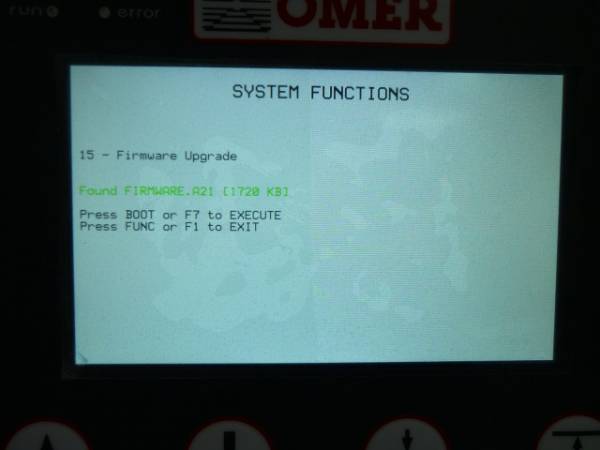
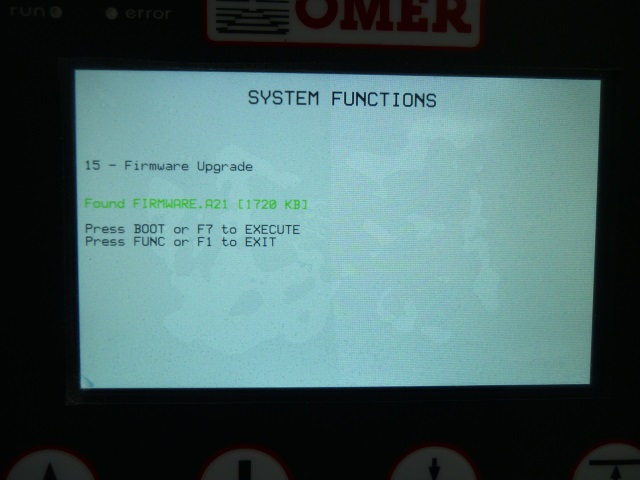
It scans the contents of the USB and shows the name of the firmware file found.
To confirm press theF7key or the BOOTkey.
To quit the procedure, press theF1key or the FUNCkey.
-
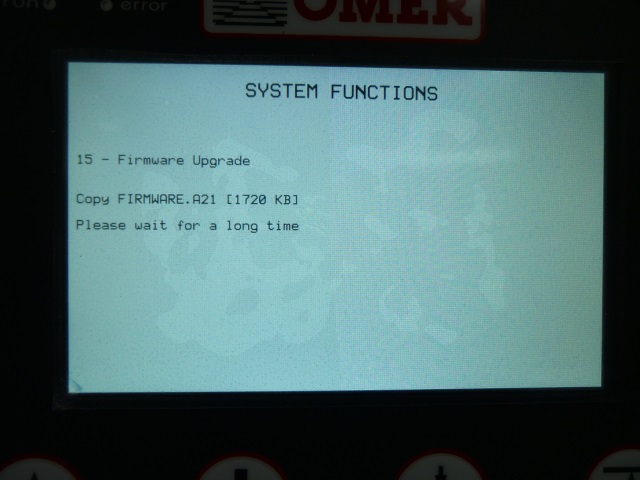
Start the upgrade process.
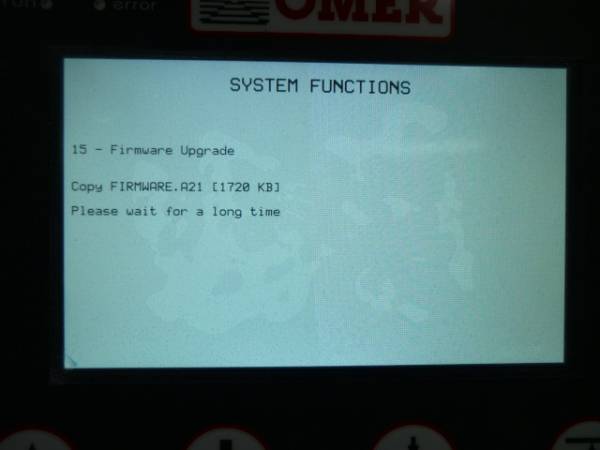
-
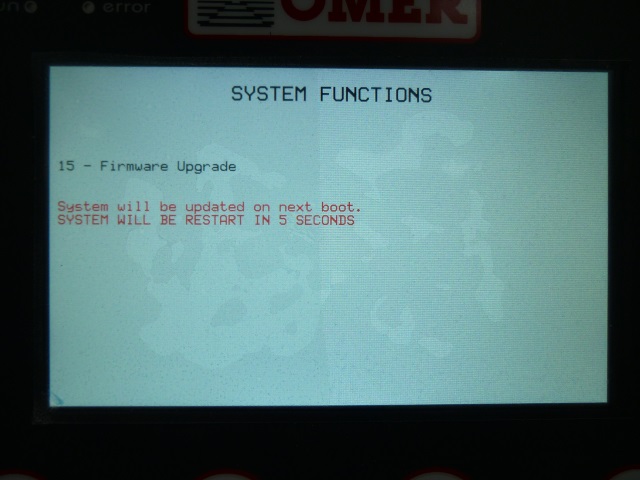
When you have finished, The following screen is showed for 5 seconds and then the MQ5CF automatically restarts.
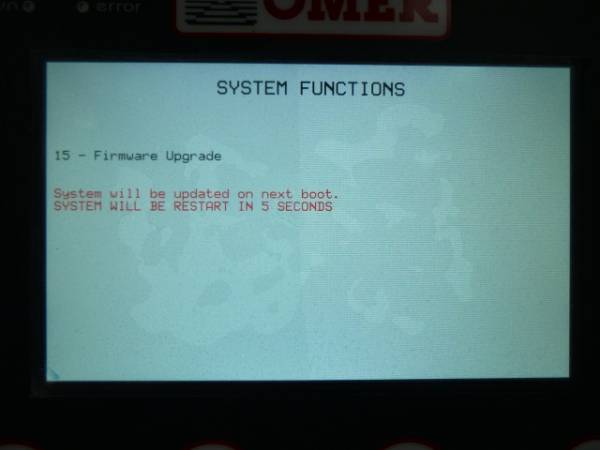
-
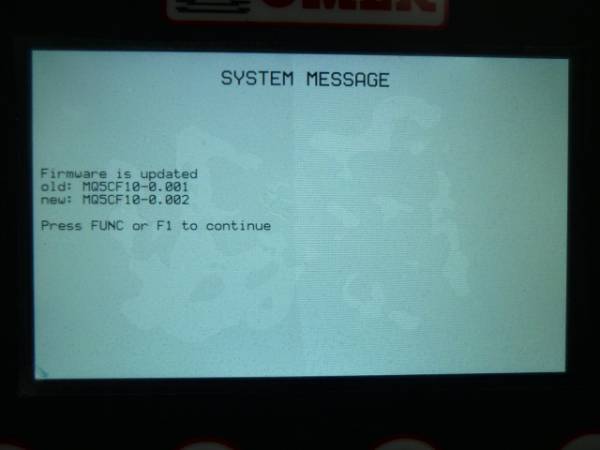
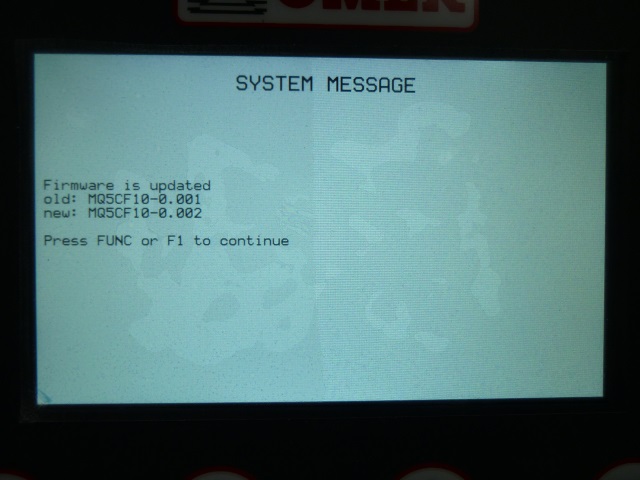
A report screen appears when you start the MQ5CF that shows the name of the old firmware and the new one. Press the
F1key or the FUNCkey to proceed with the power on.
The new application is loaded and the procedure is completed.
Note
The firmware update can be done alternately through a special program connecting the MQ5CF with IQ009 interface on the mini-usb PROG port on the back side.